Inside Pledro
The whole app,
with nothing staged.
Every screen on this page is a real capture of the running app.
Where a screen doesn’t exist yet, we say so rather than draw one.
The tour
Eleven parts.
Tap one.
Each opens on the real screens, three facts, and the detail folded underneath.
The first five minutes
One question a page,
and none of them is a card.
Then you are in, on a balance of free Grind Coins, with nothing to pay and nothing to press.
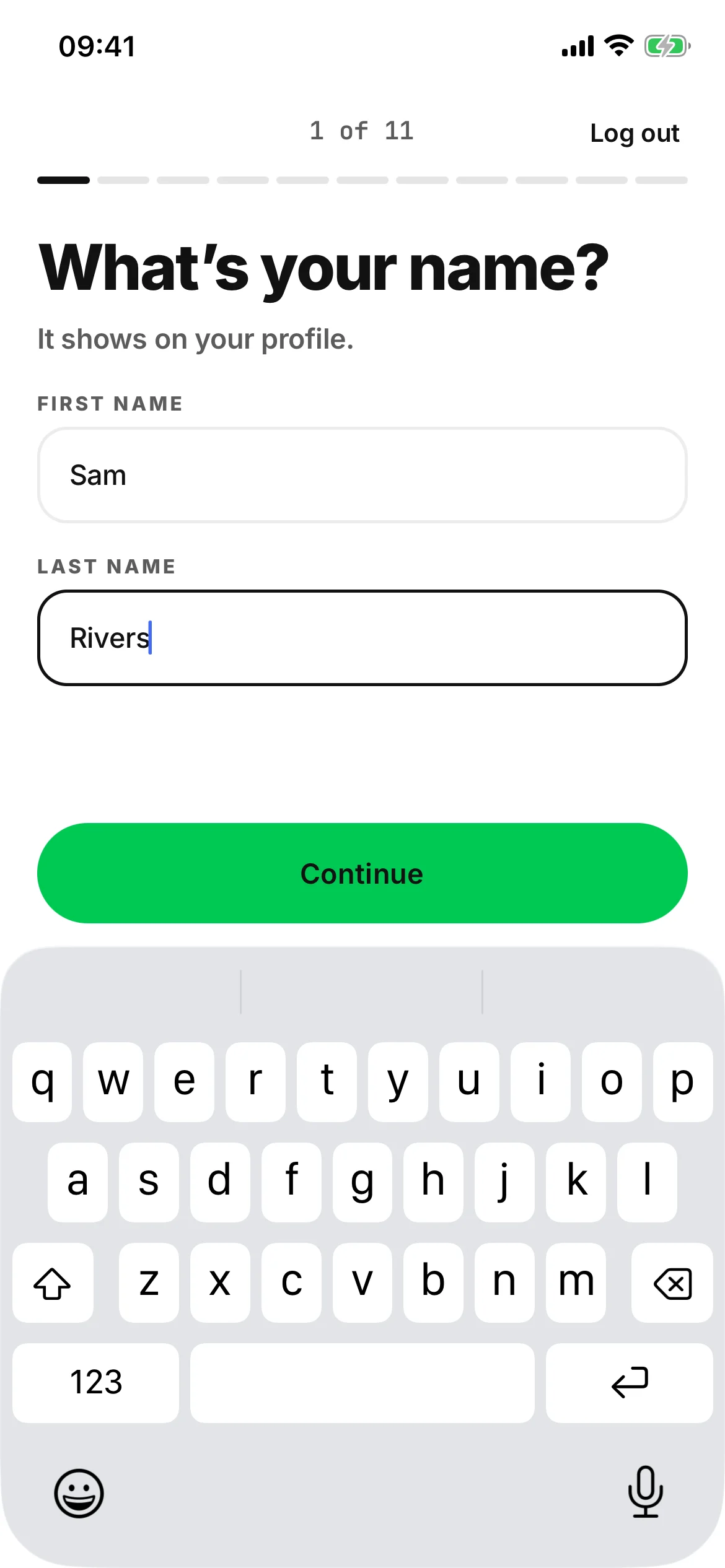
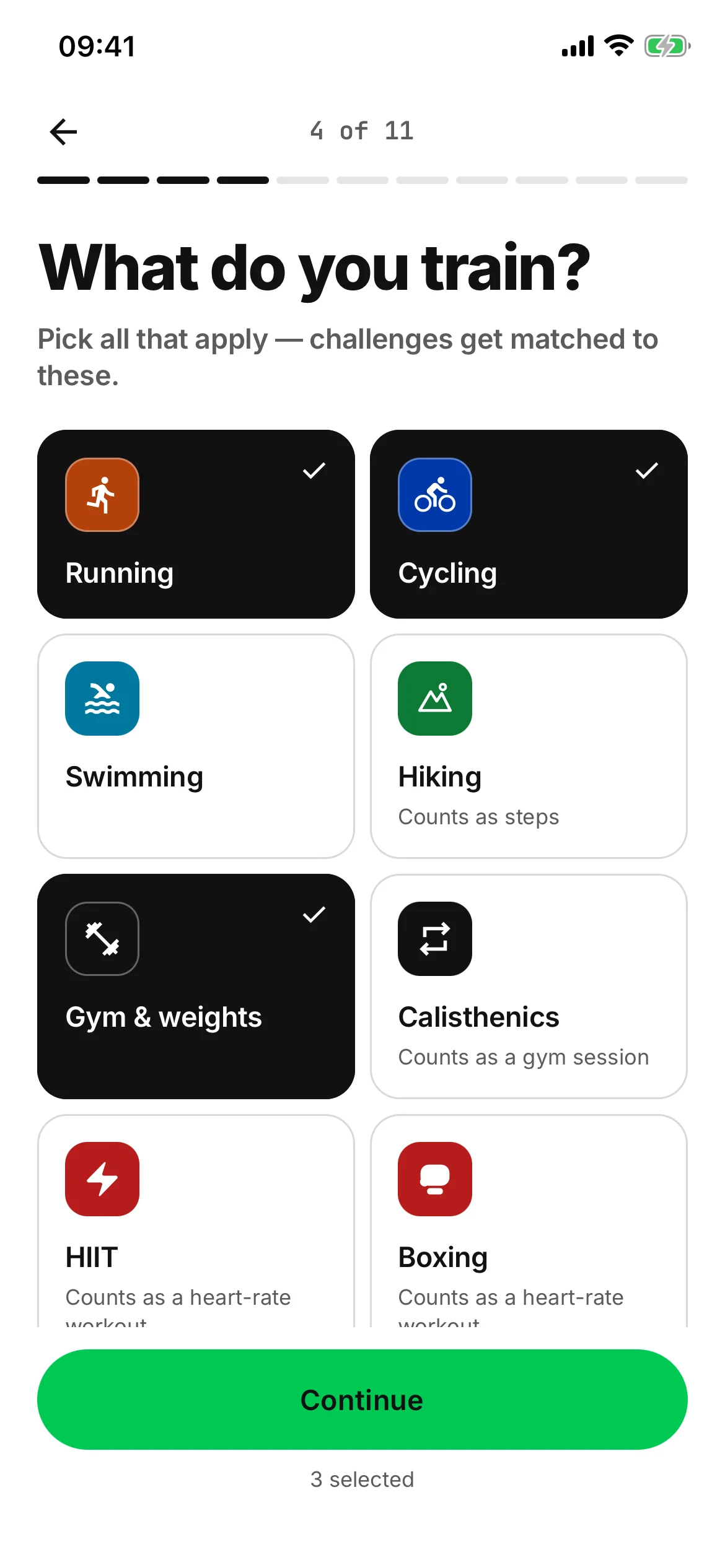
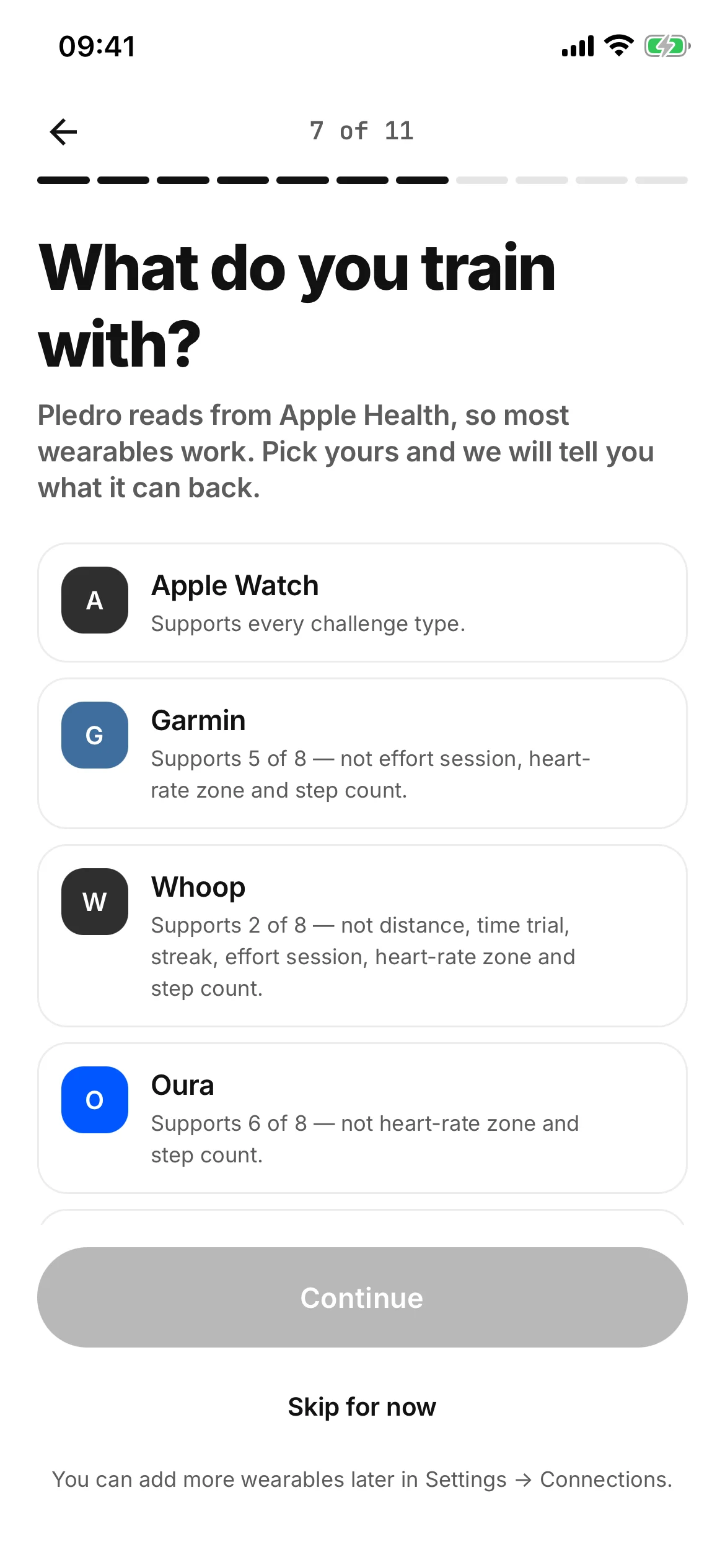
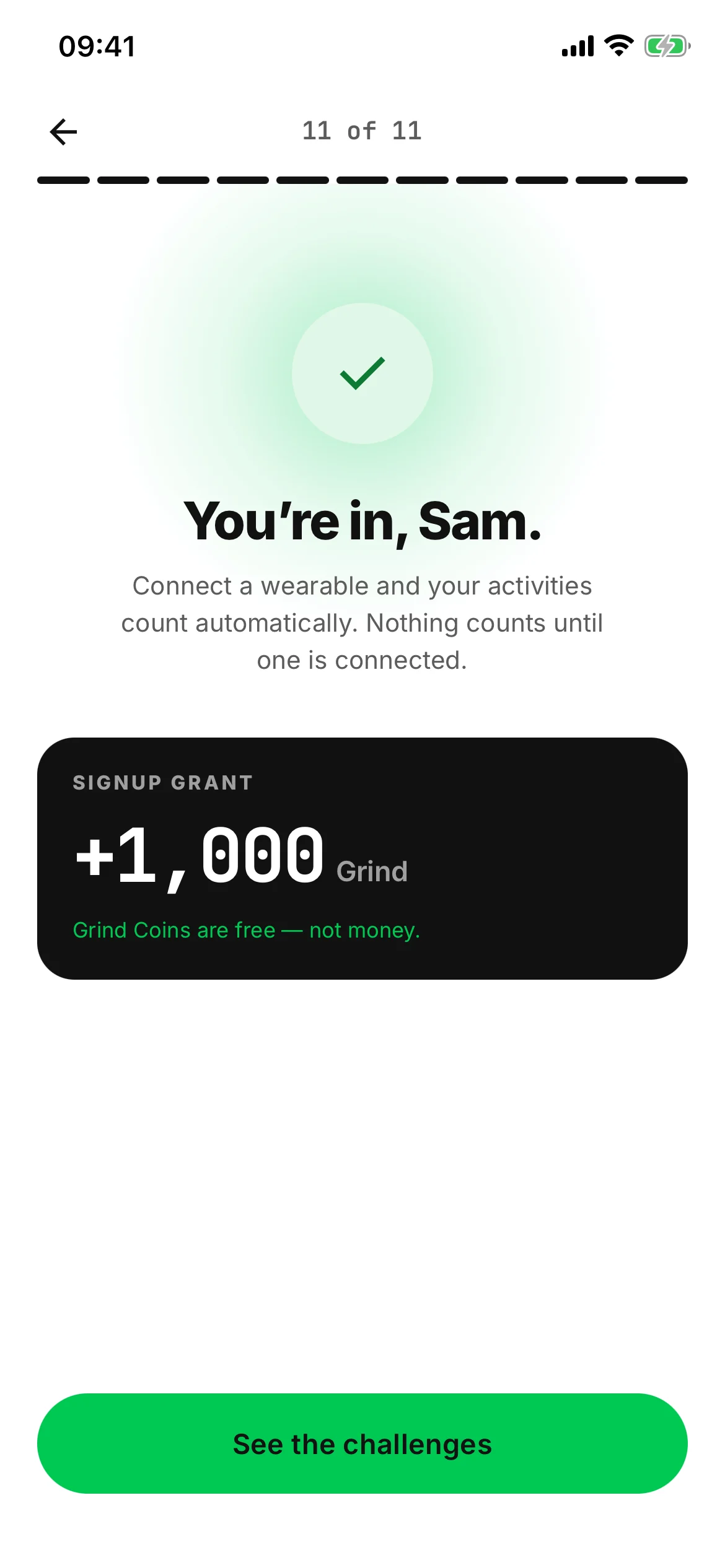
- Landing
- Your name
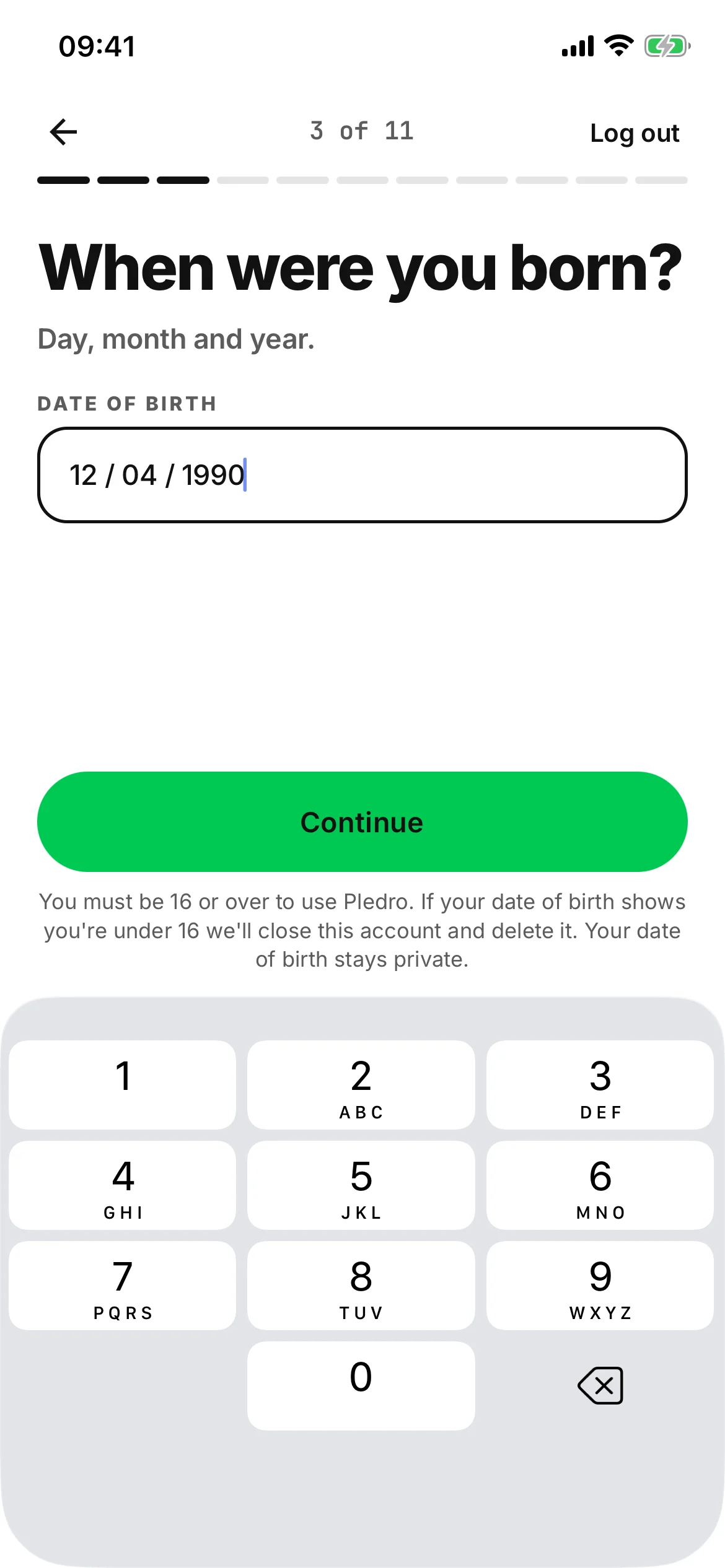
- Date of birth
- What you train
- Your wearable
- You’re in
Six screens from the first two minutes.
- 16 and up Said on the first screen, and again when you give your date of birth.
- Email and password, or Apple Then a short code, and the email contains nothing else.
- 1,000 Grind Coins to start Free, and they cannot be bought.
Every step, in order
An email and a password, or Sign up with Apple, and a code to confirm the address. Then one question a page: your name, your handle, your date of birth, what you train — so the right challenges find you — your training partners, a first challenge, your wearable, and notifications.
What you train: pick as many as apply. Some count as another family: hiking counts as steps, calisthenics as a gym session, boxing as a heart-rate workout.
With a wearable connected, the last screen is the promise the rest of the app keeps: your next activity counts automatically. There is nothing to start.
The verified feed
The numbers first.
The photo after.
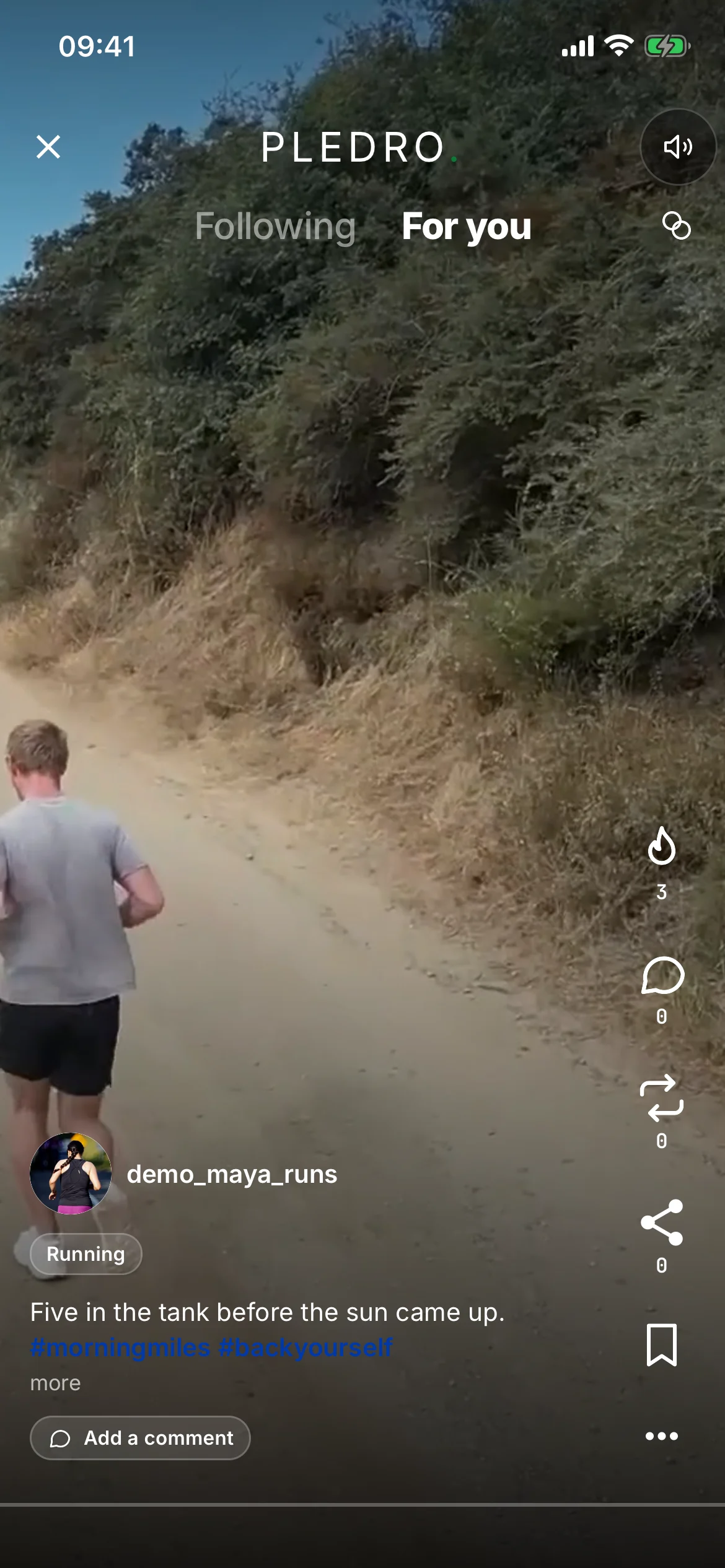
Most fitness feeds are a photo with a number typed under it. Pledro inverts that: the metric your wearable recorded leads.
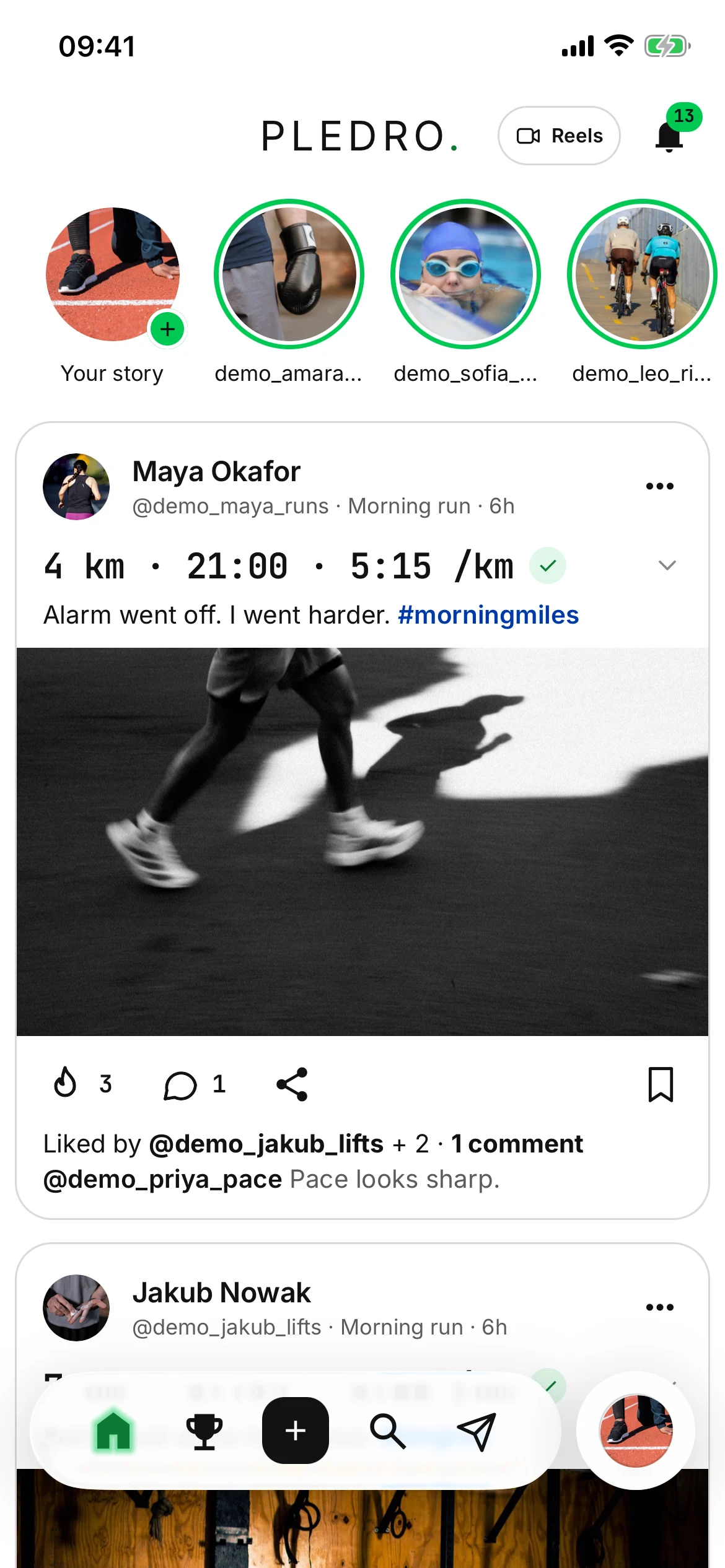
- One stats line, with the tick The session’s numbers, marked as verified, before the photo.
- Every figure, one tap down Tap the line for the rest, marked Verified by wearable.
- Nothing to embellish There is no field to type a distance into, so there is nothing to round up.
How a post reads
One line of stats with the verified tick, a caption of two lines at most, then the photo and one social line. The photo is entirely optional. A post with no photo loses nothing.
The feed is only as honest as the wearable, which is the point.
Results are respectful
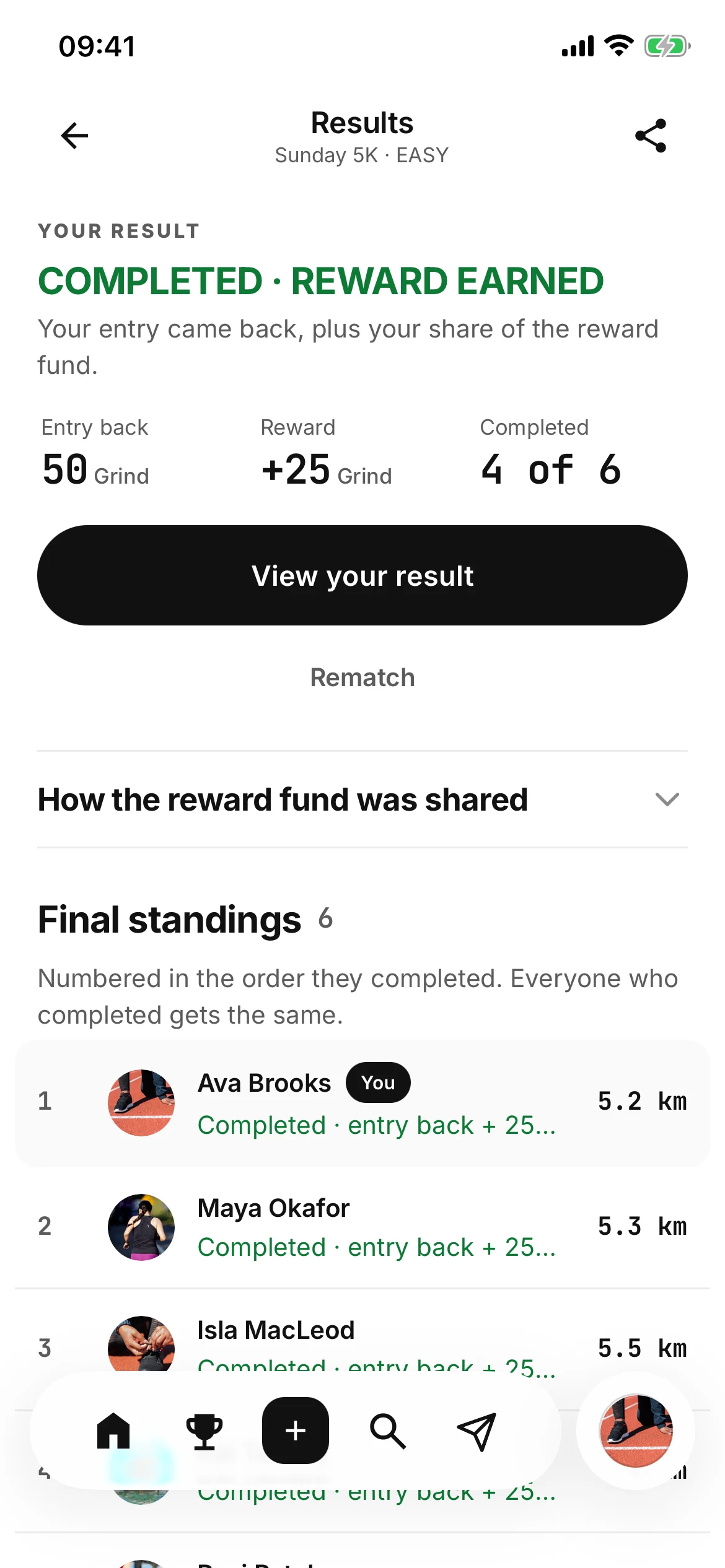
A finished challenge reads COMPLETED · REWARD EARNED, and a missed one reads NOT THIS TIME · GOOD FIGHT. Nobody’s result is written as a raid on somebody else’s.
People to follow
In among the posts, a row of people to follow runs off the edge of the screen, each suggestion in its own card. Hide one of them for good, or put the whole row away for the session.
What you can make
Five things,
and one of them costs an entry.
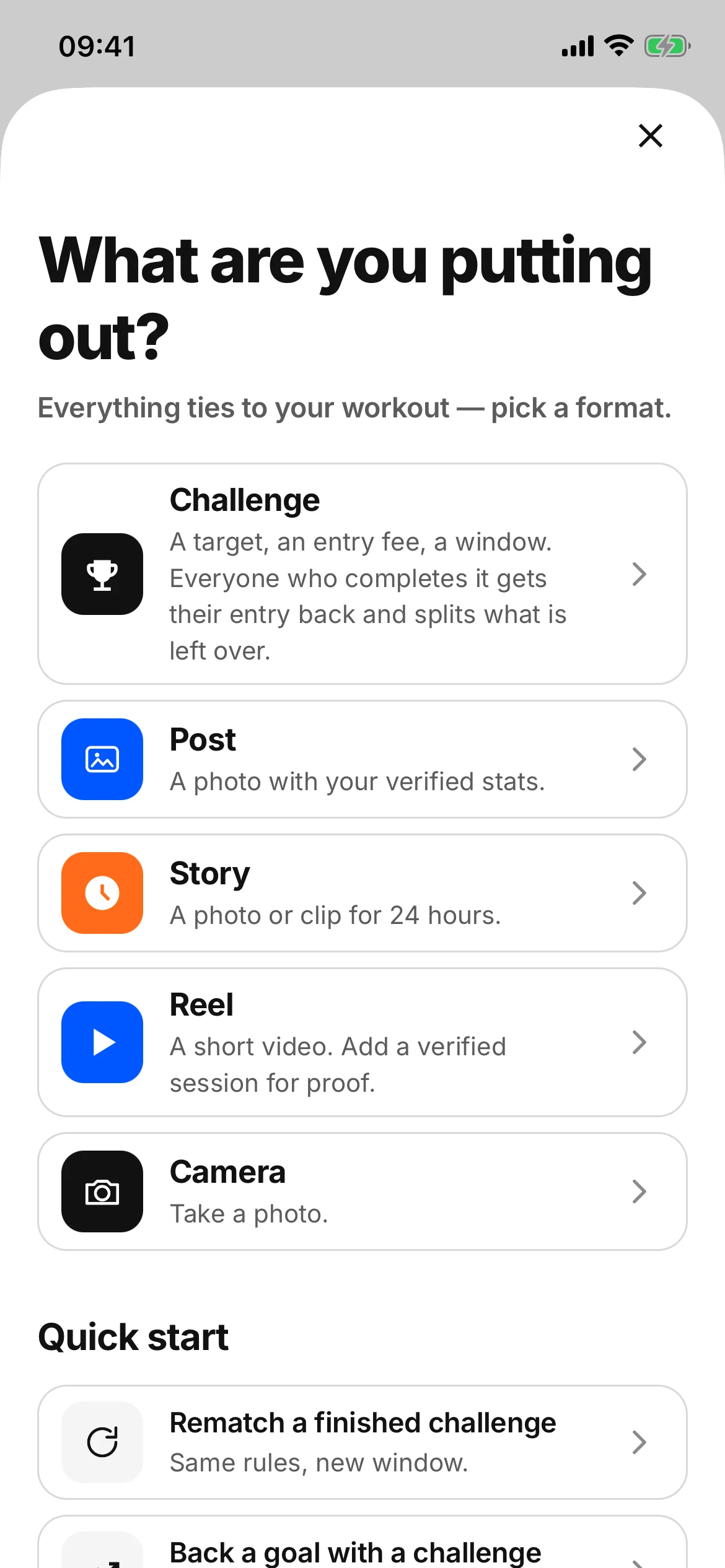
One button in the middle of the bar opens everything you can put out.
- A challenge A target, an entry and a window, set one question a page.
- A post, a story, a reel, a photo The other four cost nothing to make.
- Only what a wearable can prove Which is exactly why nobody can talk their way past it.
The five, one by one
- Challenge
- A target, an entry fee and a window. Everyone who completes it gets their entry back and splits what is left over.
- Post
- A photo with your verified stats attached.
- Story
- A photo or a clip for 24 hours.
- Reel
- A short video. Attach a wearable-verified session and the reel carries the proof.
- Camera
- Take a photo there and then instead of picking from your roll.
Writing a challenge, page by page
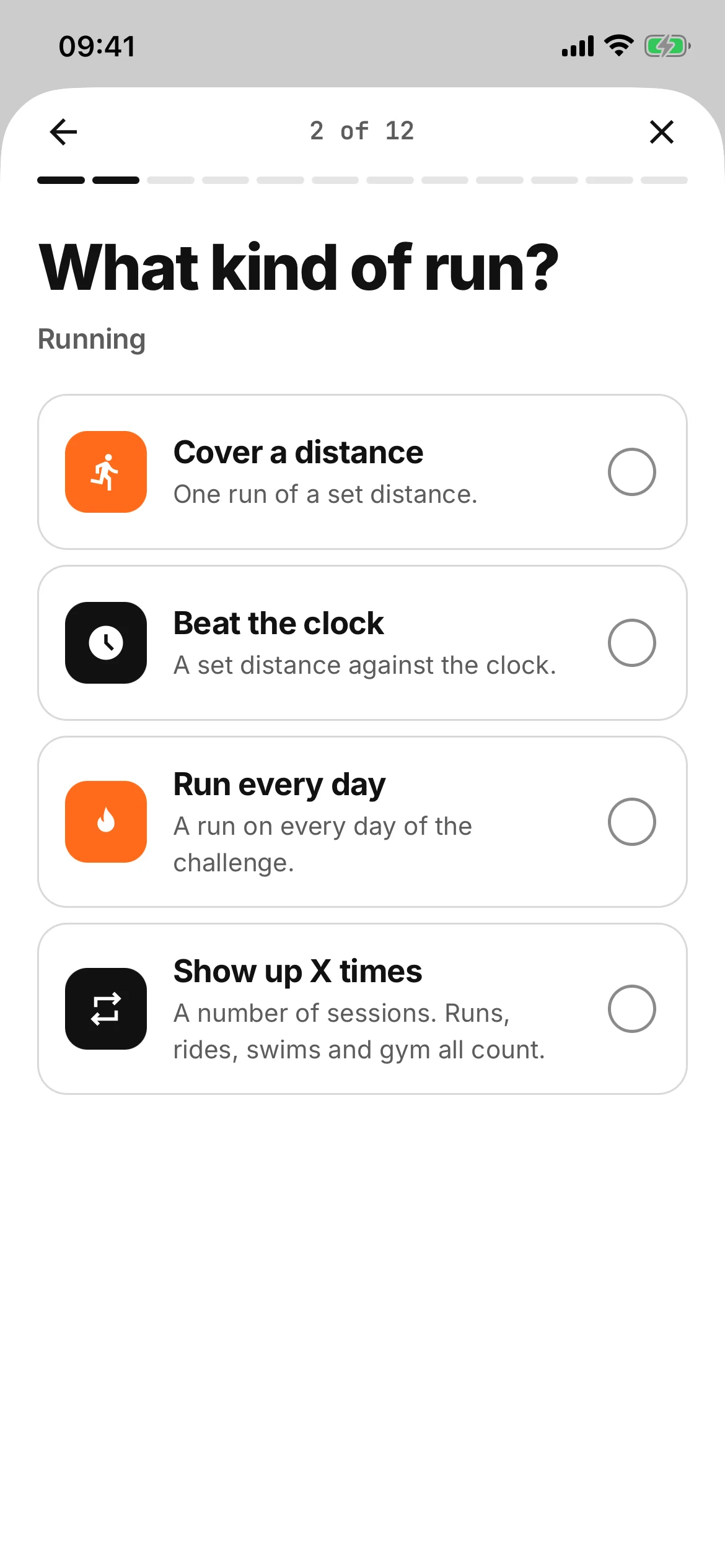
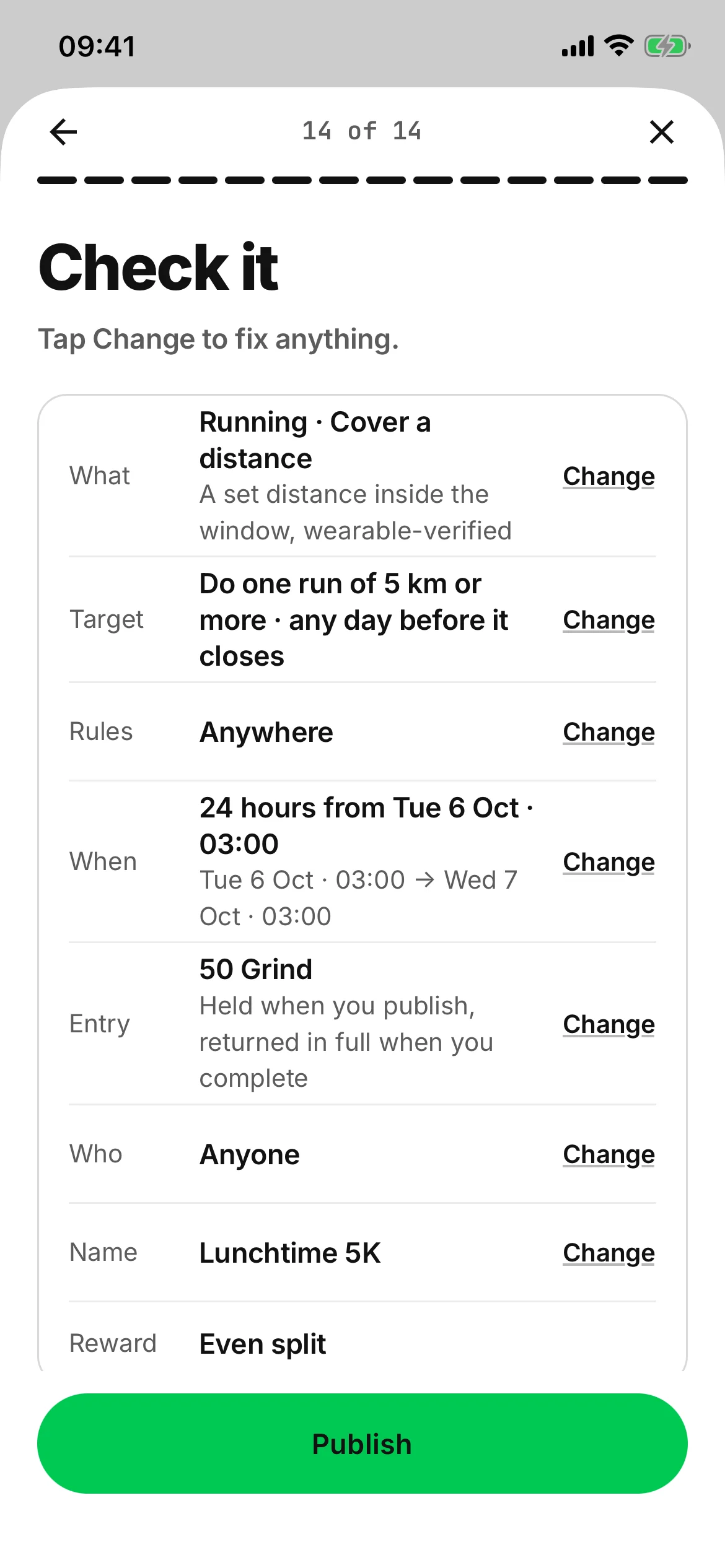
One question a page, and the pages that don’t apply are skipped: what you are training, what kind of challenge, how far or how long, any extra rules, when it starts, the entry — Grind Coins, or pounds when they arrive — and who can join. Then one page to check it all, with Change on every row.
The kinds: cover a distance, beat the clock, run every day, show up a number of times, one hard session, or minutes in a heart-rate zone.
The extra rules are the interesting part. You can demand a pace to hold, a minimum average heart rate, a calorie floor, elevation gain or cadence, and every one of them is wearable-validated. You can only ask for something a wearable can prove, which is exactly why nobody can talk their way past it.
The bar
One glass bar along the bottom: Home, Challenges, Create, Explore and Messages, with your own profile picture beside it.
The arenas
Challenges live in rooms.
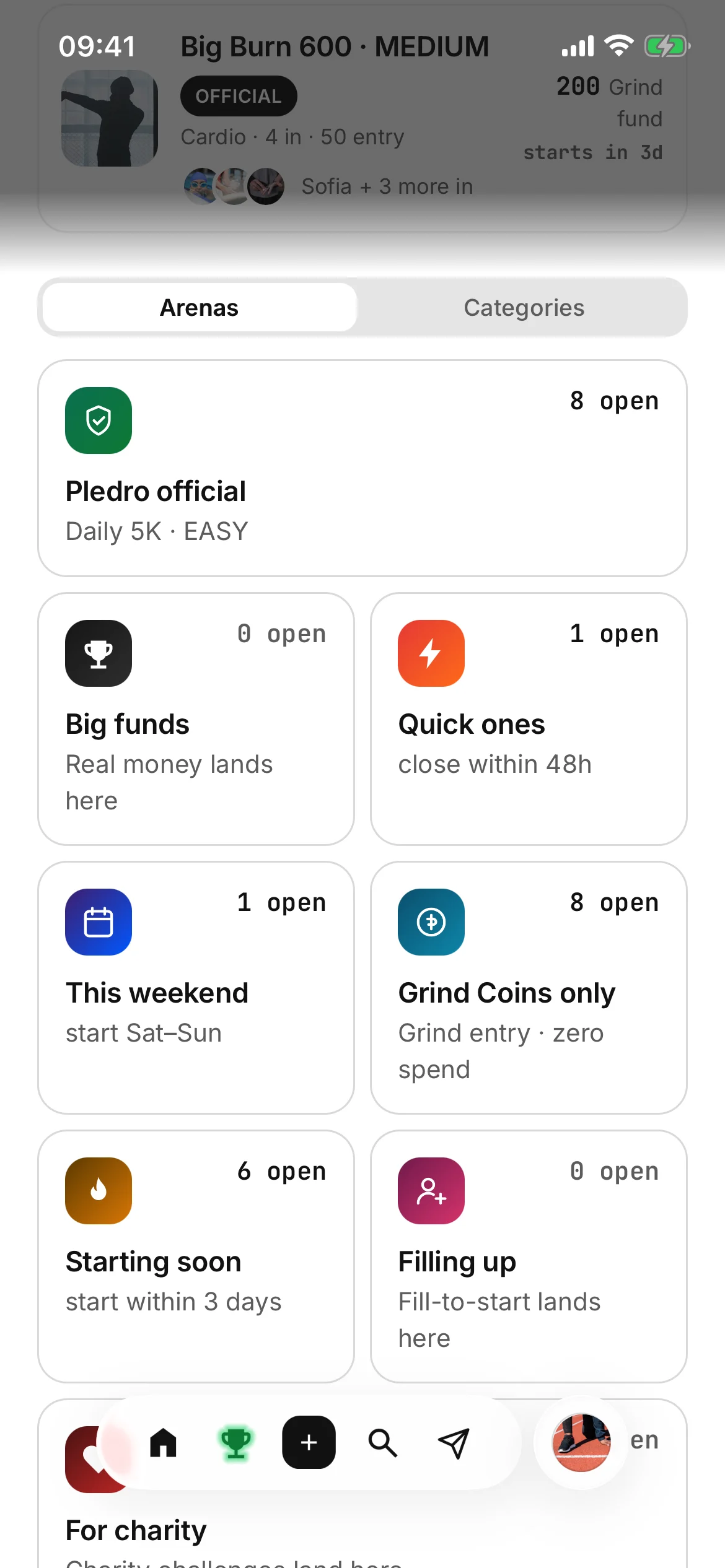
A single long list is where good challenges go to hide. The Challenges page is boxes instead.
What the Challenges page holds
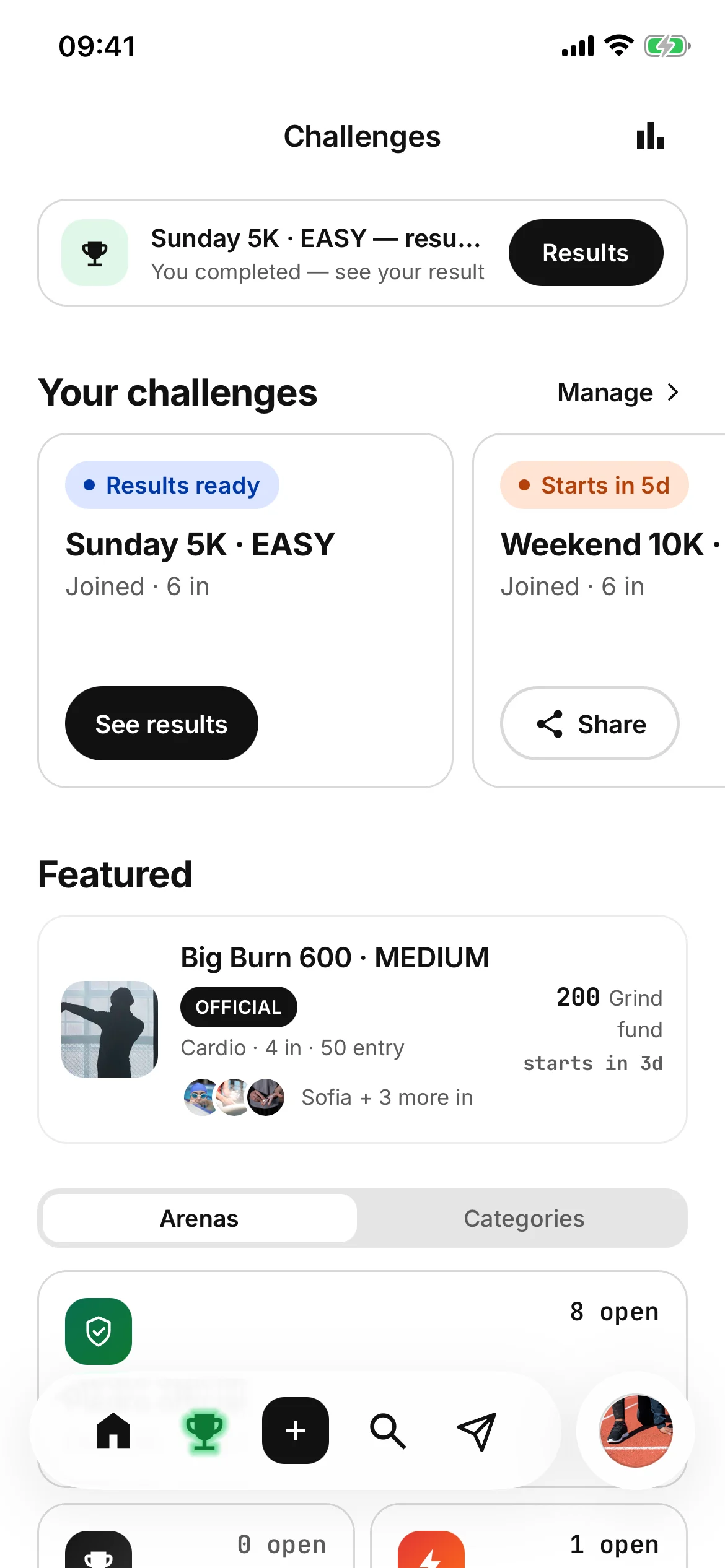
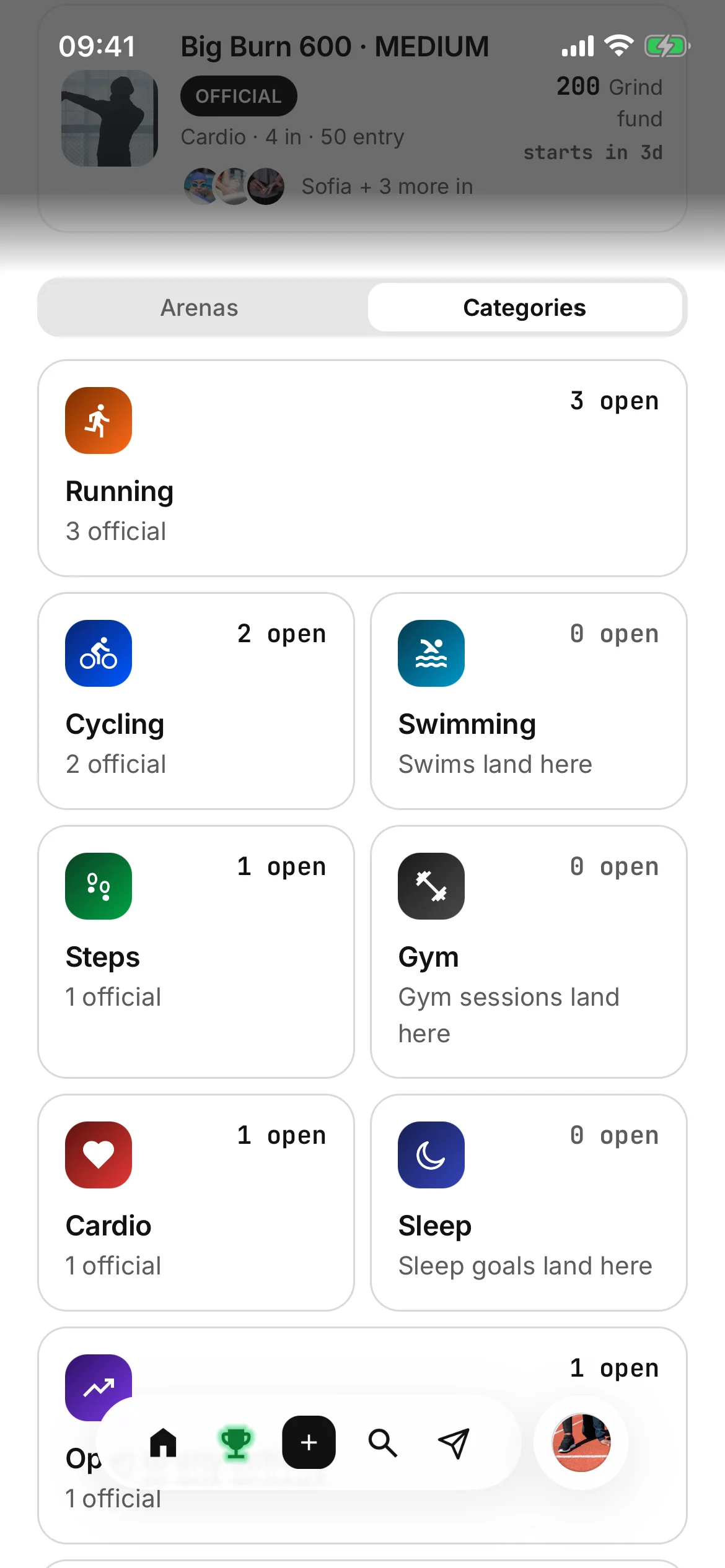
Your challenges at the top. A featured challenge only when two or more of ours are open. Then the switch between Arenas and Categories, a way to browse every open challenge, and a card to write your own. Your balance sits at the foot.
Your challenges is your own shelf rather than a room, so the count of arenas is still eight.
What each arena answers
- Pledro official
- Challenges we run ourselves.
- Big funds
- The largest reward funds currently open.
- Quick ones
- Everything closing inside 48 hours.
- This weekend
- Windows that open Saturday and Sunday.
- Grind Coins only
- Grind entry, zero spend, the way in.
- Starting soon
- Windows about to open. Enter before they start.
- Filling up
- Challenges that start when every place is taken.
- For charity
- Challenges run for a cause. Entries that stay in the fund back the cause.
A doorway, not an archive
Entries close the moment a challenge’s window opens, so every room holds only what you can still enter. The full list splits into three — open, in progress, and results — and the minute a challenge starts it leaves the rooms for the in-progress list. The space for joining is kept for challenges you can actually join.
Filters that know what they filter
Pick running and you are offered distance bands; an effort session offers calories; heart-rate minutes offers minutes, steps a daily count, sleep hours a night, a weekly count sessions, a streak days. The range is applied on our servers against the challenge’s own target, so metres are never read as kilometres and a daily step goal is never read as the whole window’s.
Sort by closing soonest, recommended, biggest fund, most entered or newest.
Zero says zero
An arena with nothing open says so. The page never invents activity to look busy. And no two Pledro official challenges that are still running wear the same photograph: a frame is spoken for until its challenge finishes, then it is free again.
Four formats, three doors
Different shapes of commitment.
Every challenge picks when it starts and who can join. Open one to see how it works.
When does it start?
Pick dates
You set the start and the end, then invite whoever you want. Always on offer.
A quick one
Exactly 24 or 48 hours, and you pick the start. One session, one result, done before you’ve had time to reconsider.
Offered when the challenge needs two days or fewer.
This weekend
The whole weekend, exactly: Saturday 00:00 to Sunday midnight, your local time. Built for the two days most goals actually die on.
When it fills up
No start date. People join until every place is taken, then everybody starts together 24 hours after the last place goes. Nobody sits in an empty room.
For targets you complete in one session.
Who can join?
Anyone on Pledro
Listed in the arenas. Anyone can enter, and the fund grows with every entry.
Only people I invite
Never in the arenas. It exists for the people you sent it to, and you choose whether they can invite others and whether it has a discussion.
Pledro official
Run by us, on the same rules, the same reward maths and the same verification as everything else.
Before, and while it runs
Summary first.
The rules one tap down.
The entry, the reward fund, when it starts, and the job in one line. Everything else is folded.
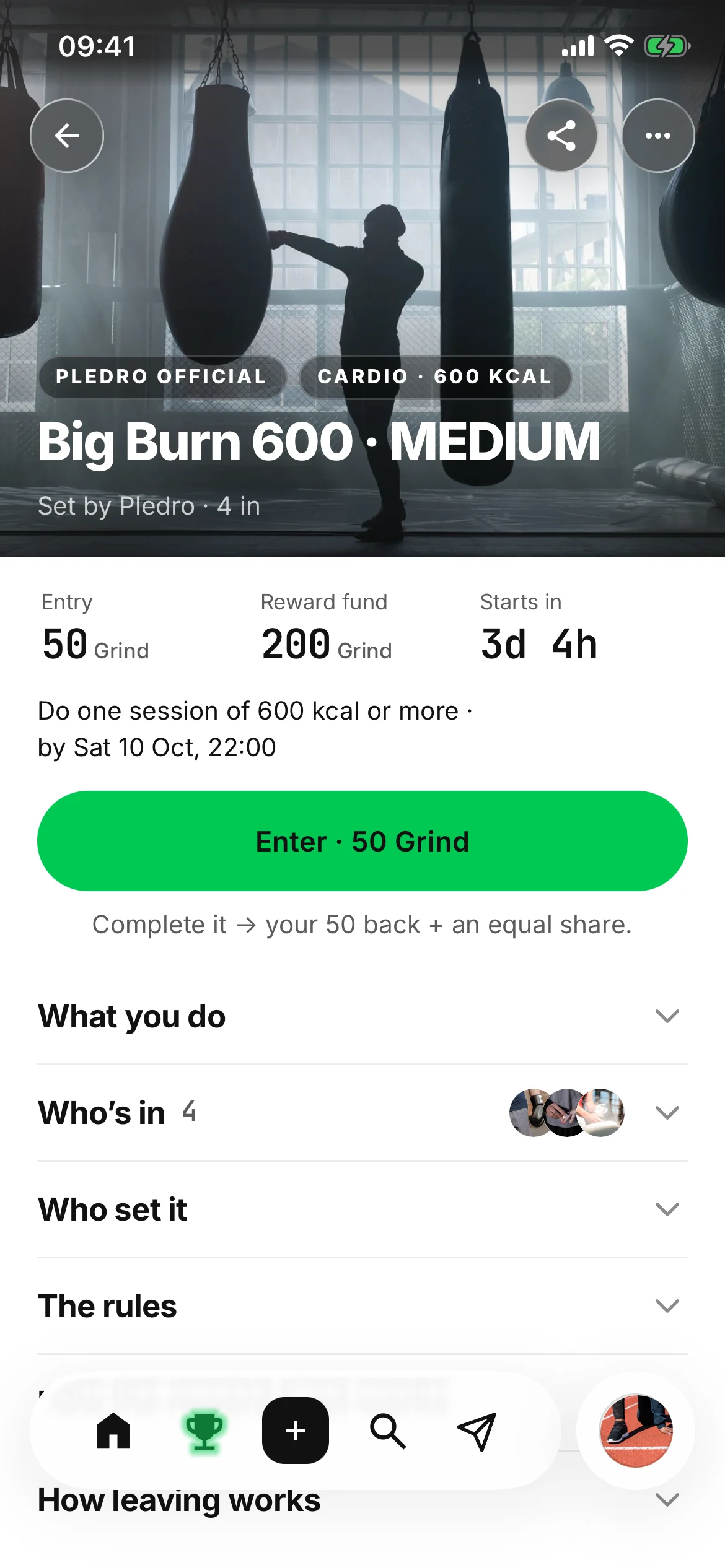
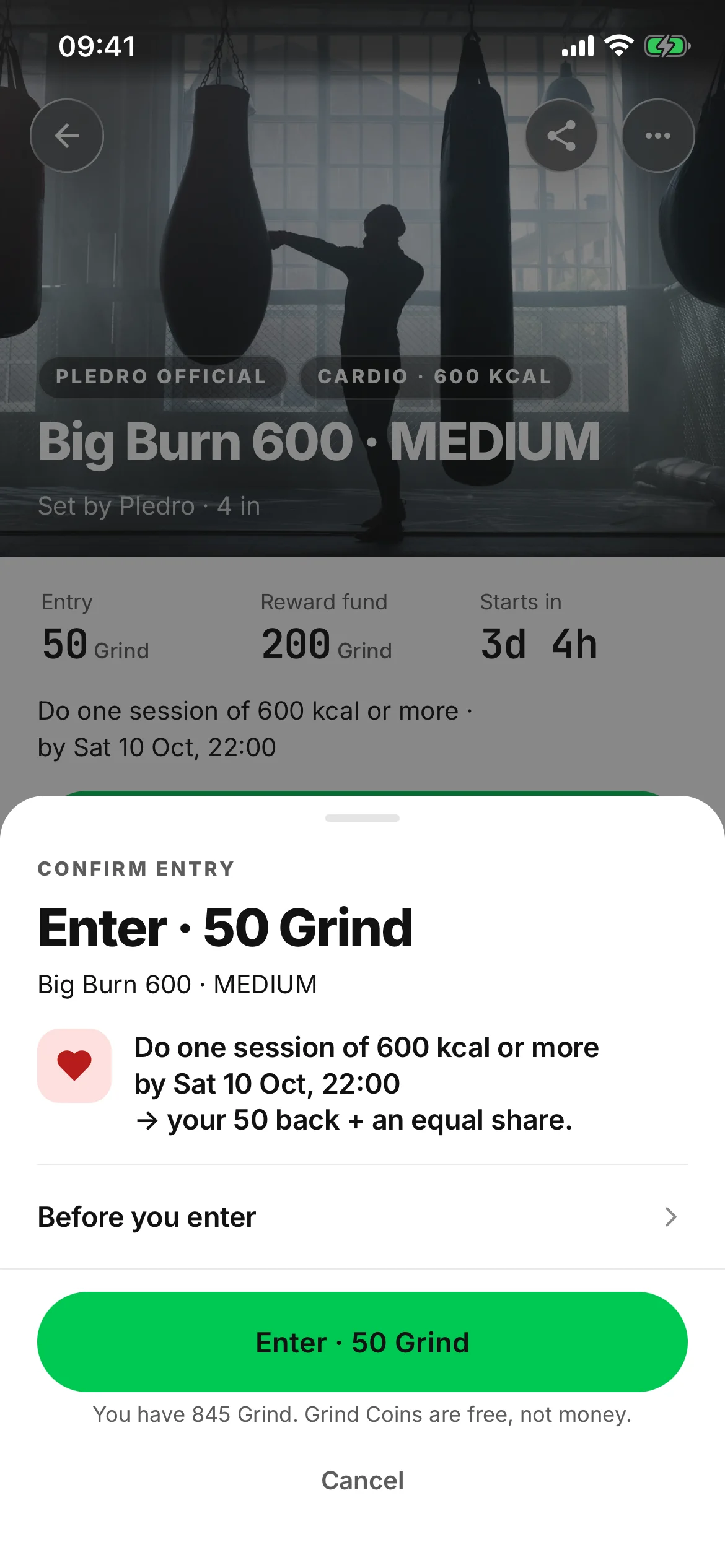
- One requirement line Do one run of 5 km or more · by Mon 5 Oct, 19:00
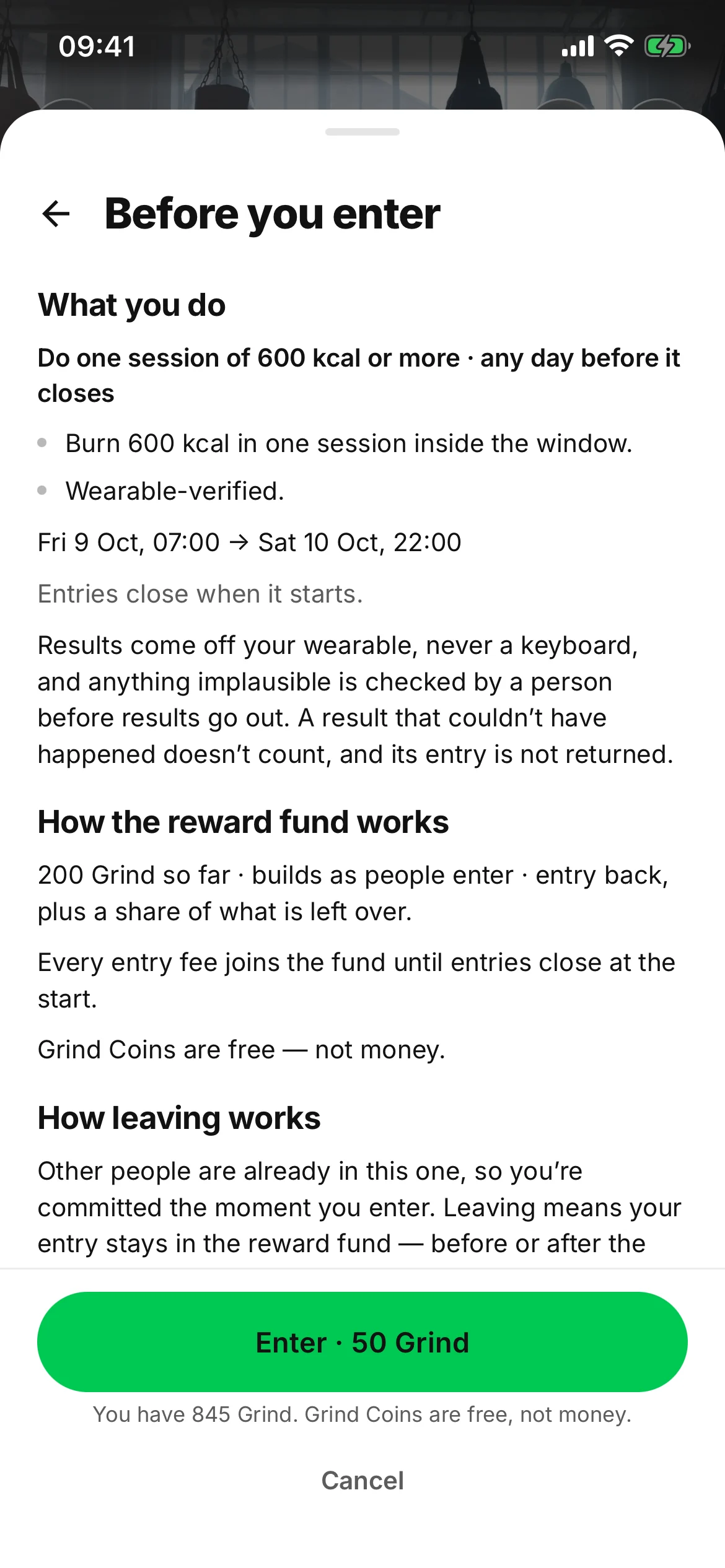
- Enter from a pop-up What you do, by when, and what you get back. The rest is under Before you enter.
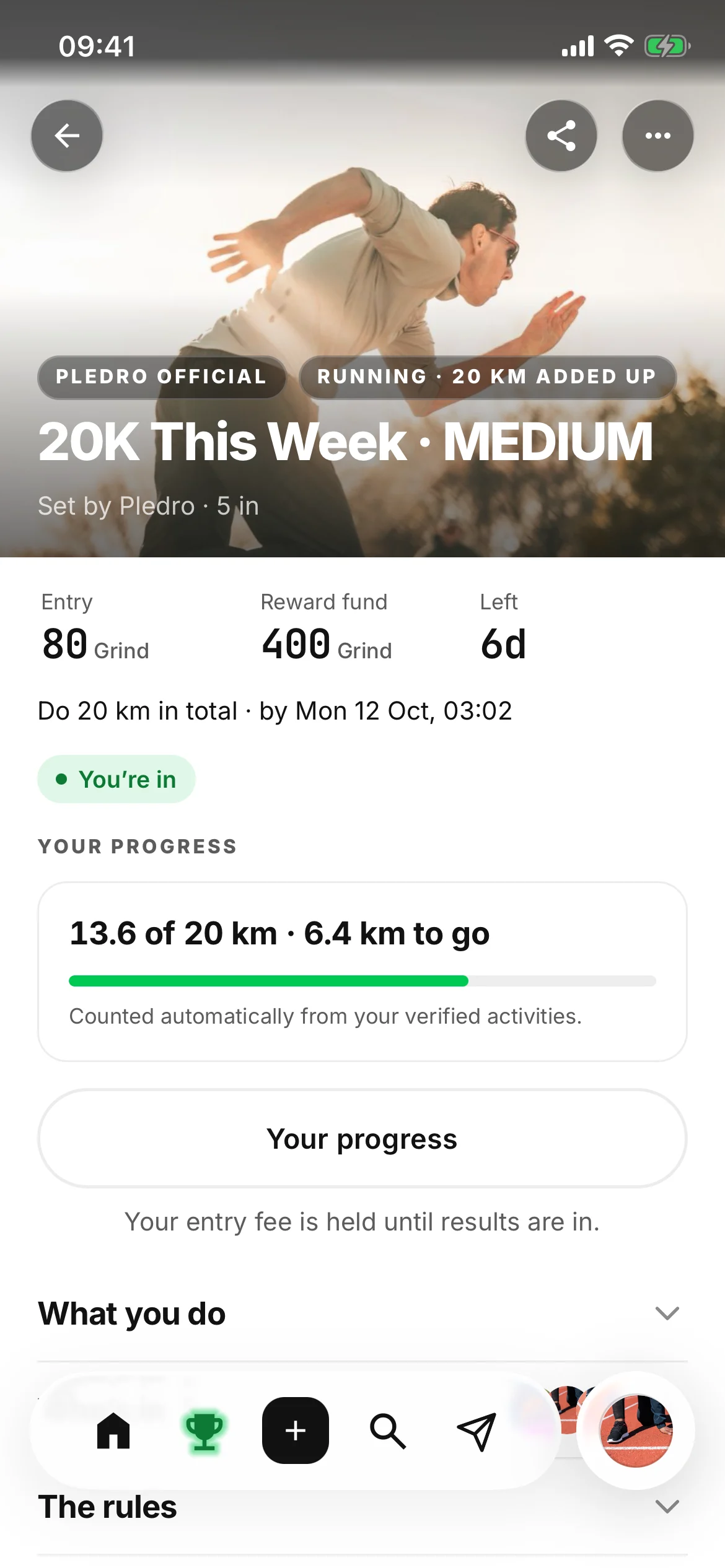
- Live while it runs Standings and a discussion of its own, on every challenge.
- Starts in
- Live
- Checking results
- Under review
- Completed
- Not this time
The page, folded
Under the summary, the detail sits in folds, all closed: what you do, who’s in, who set it, the rules, how the reward fund works, and how leaving works. All of it is there before you commit. Nothing is revealed afterwards.
Joining
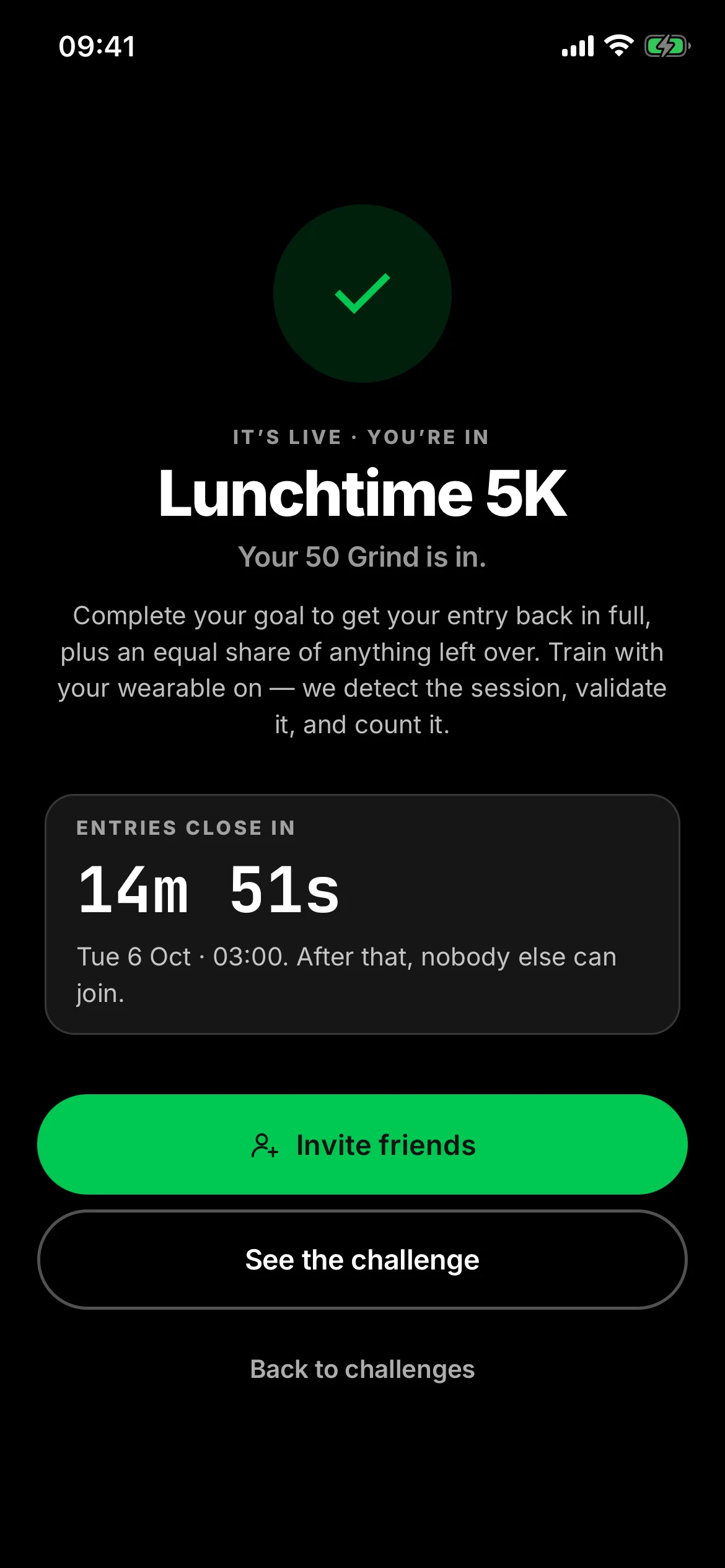
Enter opens a pop-up: the challenge, and one line saying what you do, by when, and what you get back. Before you enter opens what you do, how the reward fund works and how leaving works, with the note on fairness.
On a Grind challenge it says so plainly: Grind Coins are free, not money.
While it runs
Standings fill in as sessions are verified, and every challenge has its own discussion. The fund grows with every entry, so there is a Bring a friend route on it too.
Results
Checking results, until our servers have finished — never a verdict before. About an hour after the window closes: COMPLETED · REWARD EARNED, or NOT THIS TIME · GOOD FIGHT. Completers are numbered in the order they completed, and everyone who completed gets the same. Then a rematch.
Everything that needs you
Answer it, or don’t.
Nothing happens without you.
Notifications open on the things waiting on an answer, and only then on the day’s follows, reactions and comments.
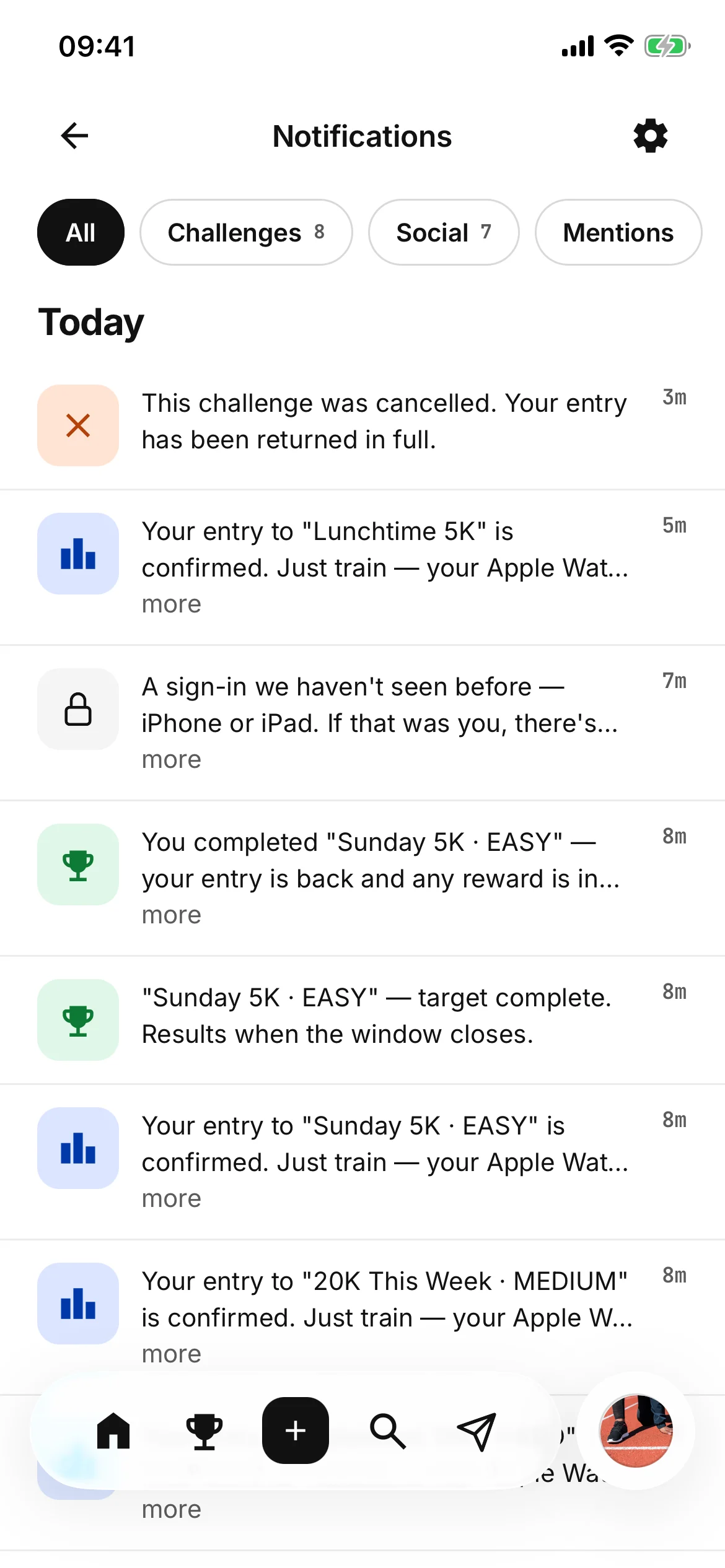
- Needs an answer, first Invitations, follow requests, tags and collaborations — accept or decline.
- Messages, a tab of their own Group chats, photos, voice notes, GIFs and reactions.
- Quiet hours, 10pm to 7am On by default, UK time.
Notifications in full
- Needs an answer
- A challenge invitation, a follow request, someone asking to tag you, someone asking to collaborate on a post — accept or decline.
- Filters
- Challenges, Social and Mentions, as well as everything.
- Quiet hours
- No notification pushes to your phone between 10pm and 7am.
Messages in full
- Requests
- A message from somebody you don’t follow waits in its own folder.
- Voice notes
- Hold to record, slide away to cancel, let go to send, up to five minutes. Drag along the bars to go back to the part you missed.
- GIFs
- A searchable picker in the same composer, content-filtered, and every GIF keeps its own shape in the thread rather than being cropped to fit.
- Where both work
- A direct message and a challenge’s discussion share one composer, so anything you can send in one you can send in the other.
Your record
A profile made of things you did.
Your photo fills the top; your record fills the rest. All of it verified, which makes it worth having.
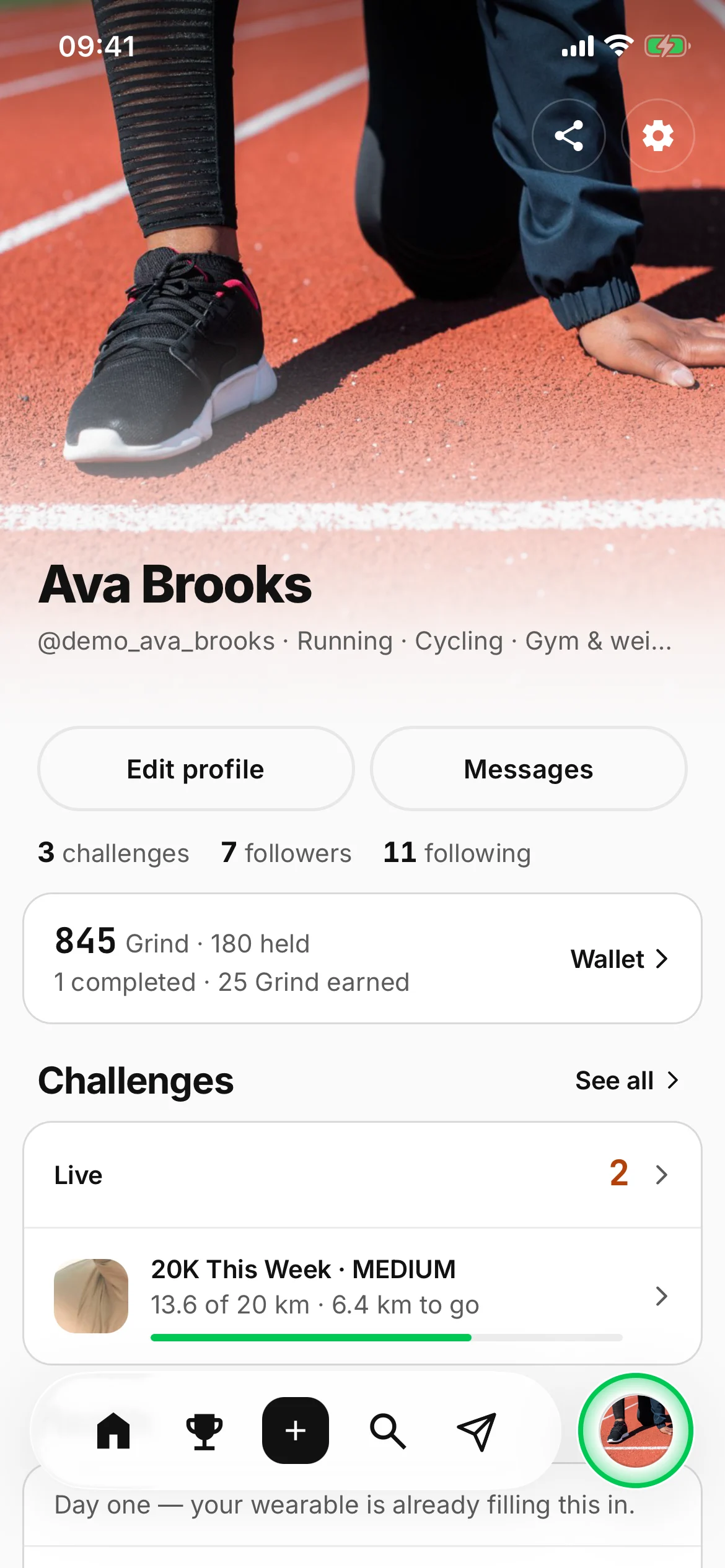
- You
- Wallet · Grind
- The big photo Every profile opens on it, and it fades into the page.
- Health and Challenges How you move and sleep, and what you have entered and completed.
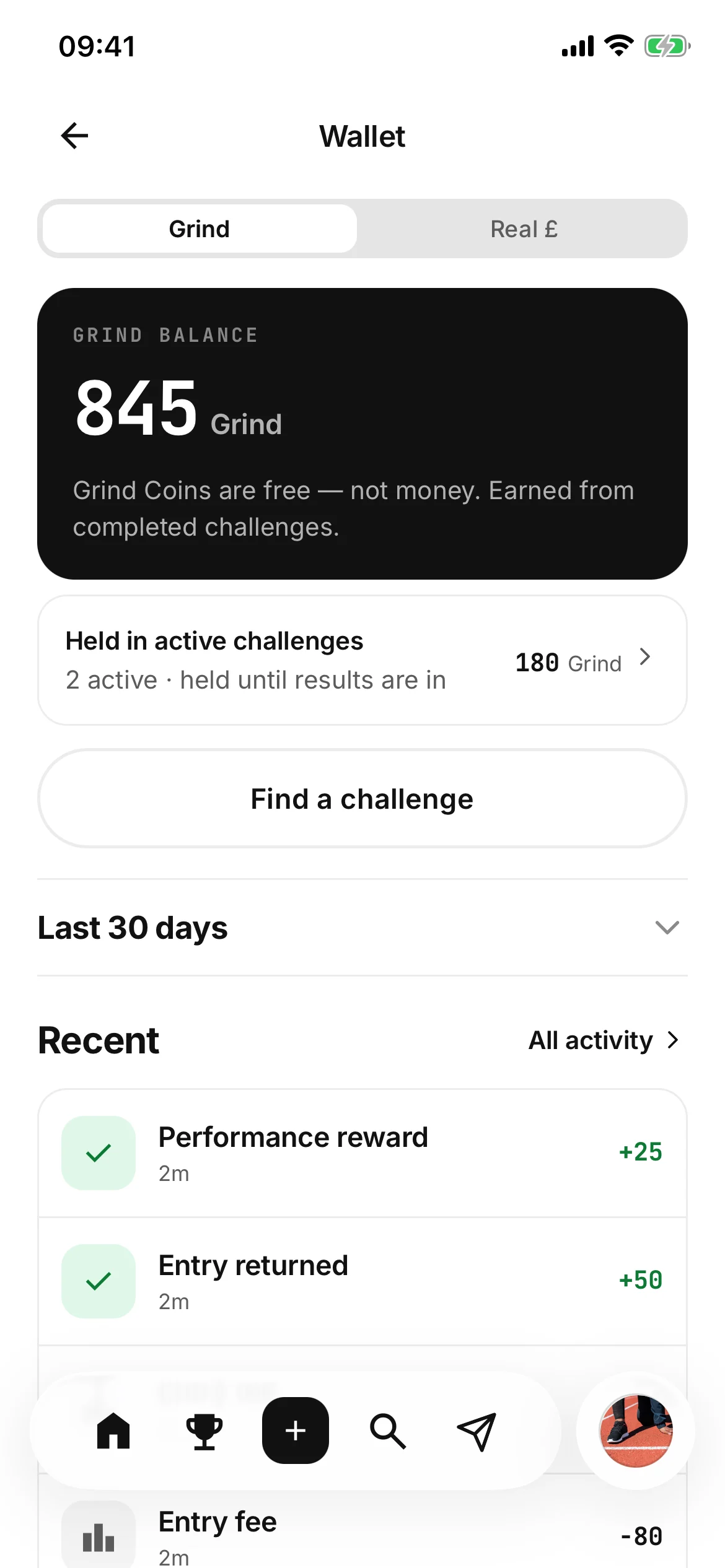
- The wallet, two tabs Grind, and Real £. Every movement listed.
The profile
- The photo
- Your profile photo fills the top and fades into the page. You frame your round picture once, and that one is used everywhere.
- Under your name
- Edit profile on your own; Follow and Message on anyone else’s.
- Health
- How you move and how you sleep, once a wearable is connected — it opens .
- Challenges
- Live, completed, and the rewards you have earned.
- Founding member
- A badge for the people who joined from the waitlist.
The wallet
The wallet has two sides and the app shows you both, as two tabs: Grind and Real £. Your Grind balance, what is held in open entries, and every entry fee and reward that has moved. Its one action is Find a challenge.
Real-money entries are not live yet. Every account runs on free Grind Coins today, which are not money and cannot be bought.
18+ for real-money entries · UK · Your limits, your rules
Your health
Everything the wearable knows,
on one board.
The health band on your profile opens a dashboard: the day first, then one card per system. Every tile opens the detail behind it.
What it shows, and what it never does
It shows what your wearable actually recorded and nothing else. A reading it has never written is a dash, not an estimate and not a zero pretending to be one, and where a whole card is waiting on the same thing it says so once at the foot rather than nine times over.
Pledro does not invent a readiness number. A figure we made up, shown as how recovered your body is, would be a health claim — so that card waits for a wearable that scores recovery itself.
No wearable yet? The band asks for one instead of drawing an empty chart.
What it is used for
Health data is the most sensitive thing the app holds, and it is used for one purpose: verifying challenges and showing you your own record. What we hold, and for how long →
Your account
Two-factor, every device,
and one alert you can’t switch off.
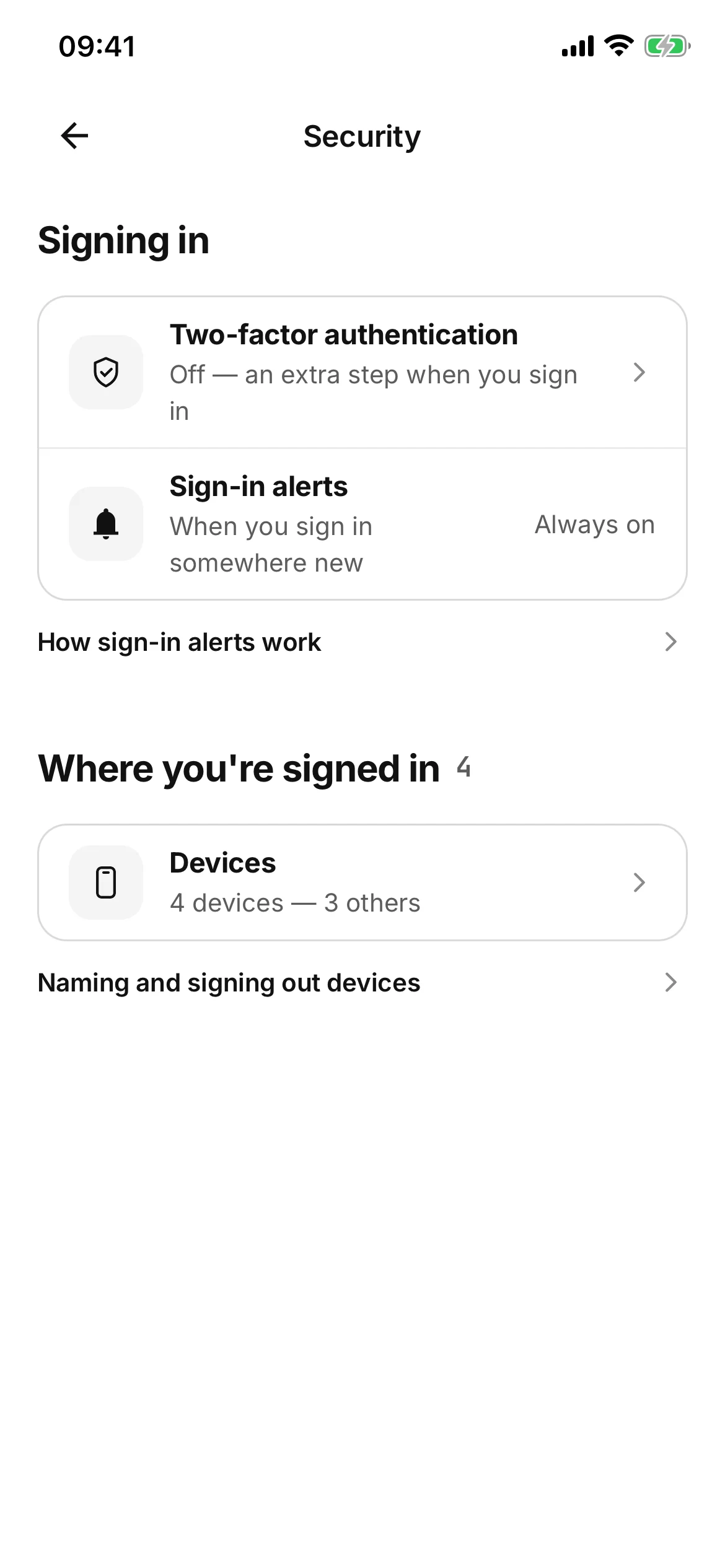
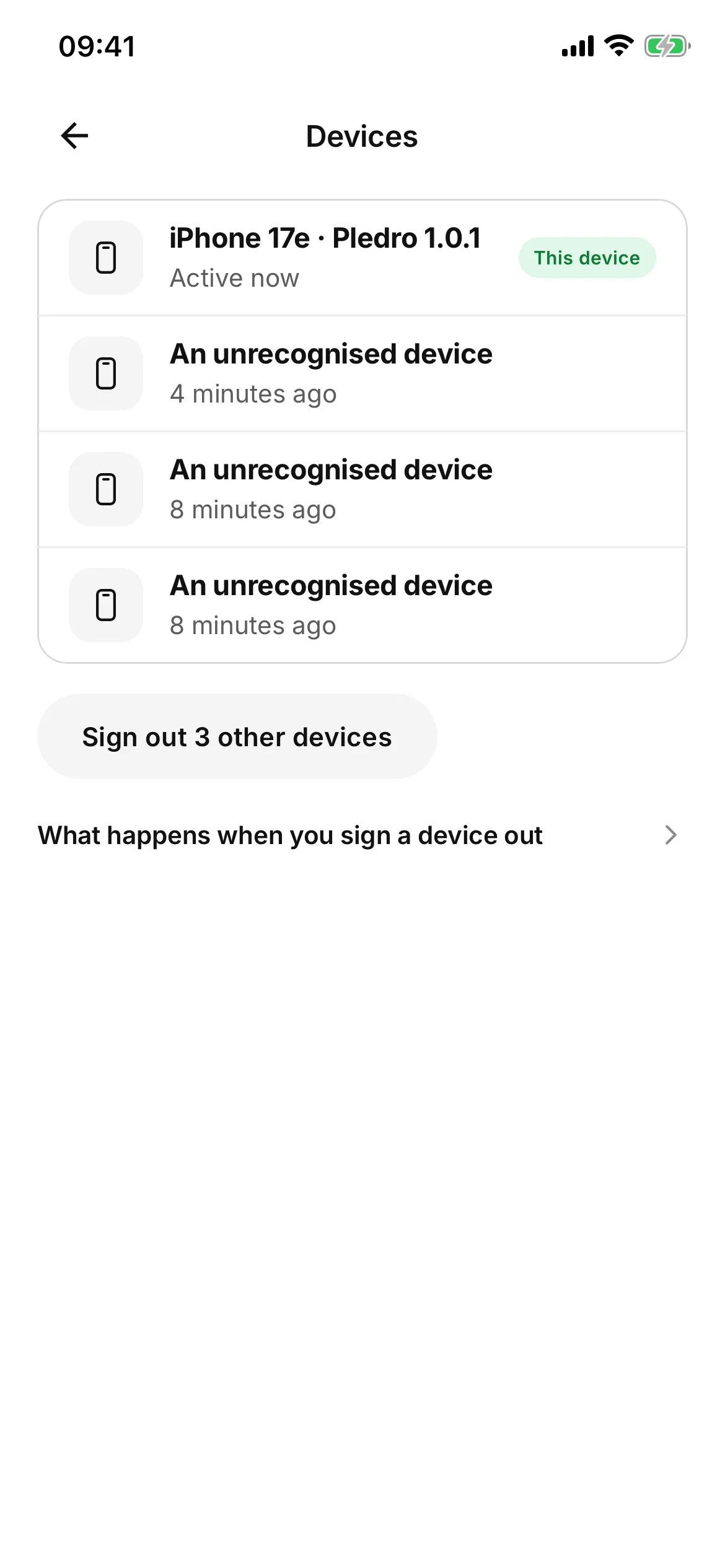
Security is its own screen in Settings: a step when you sign in, everywhere you are signed in, and word when somewhere new signs in.
- Settings · Security
- Devices · sign any out
- Two-factor Off until you turn it on. An authenticator app and six digits.
- Every device Name them, and sign any of them out.
- A new sign-in Told to you in the app and on your phone. That one you cannot turn off.
The detail
- Two-factor
- Off until you turn it on. An authenticator app and six digits, with recovery codes issued when you set it up.
- Devices
- Every device your account is signed in on, this one included. Name them, and sign any of them out.
- Signing one out
- Ends that session and stops its notifications. It loses access within the hour, and your password stays the same.
- A new sign-in
- Told to you in the app and on your phone, whatever your other notification settings say. That one you cannot turn off.
No location beside a device
There is no rough location beside a device, because we never look one up. A device is named by what it is and when it was last used, and by nothing else. What we hold, and for how long →

Graft is the only shortcut.
Better in your hand
than in a screenshot.
Pick a challenge tonight. Start fresh tomorrow. Back yourself.
Free to start · Apple Watch, Garmin, Whoop, Oura and more
18+ for real-money entries · UK · Your limits, your rules
Stories and reels
The rest of a social app,
tied to a session.
A story lasts a day. A reel is a short video, full-screen from the moment it opens.
Stories in full
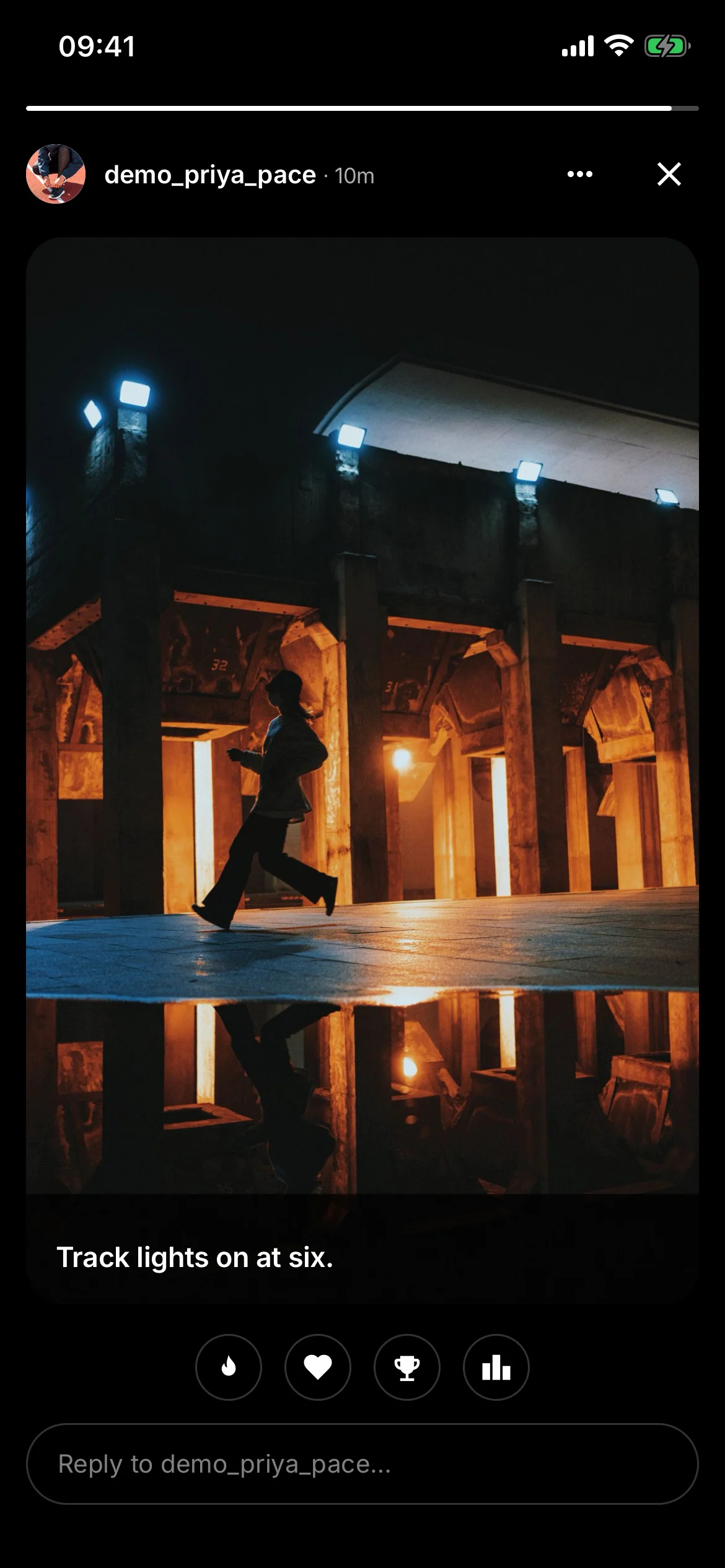
A photo or a clip for twenty-four hours, to whoever can already see your profile. Reply straight back, or react without typing anything.
Reels in full
What asks first
Everything social is private by default and asks first: a tag, a collaboration or a follow request waits for you to accept it. What we do with any of it →